How DevOps can save you months of development!

Share
Combining speed and efficiency! A challenge that businesses are facing, when development (Dev) and operations (Ops) teams operate independently or another specific term “silos”. Here emerges the term DevOps. So what is DevOps?
What is DevOps
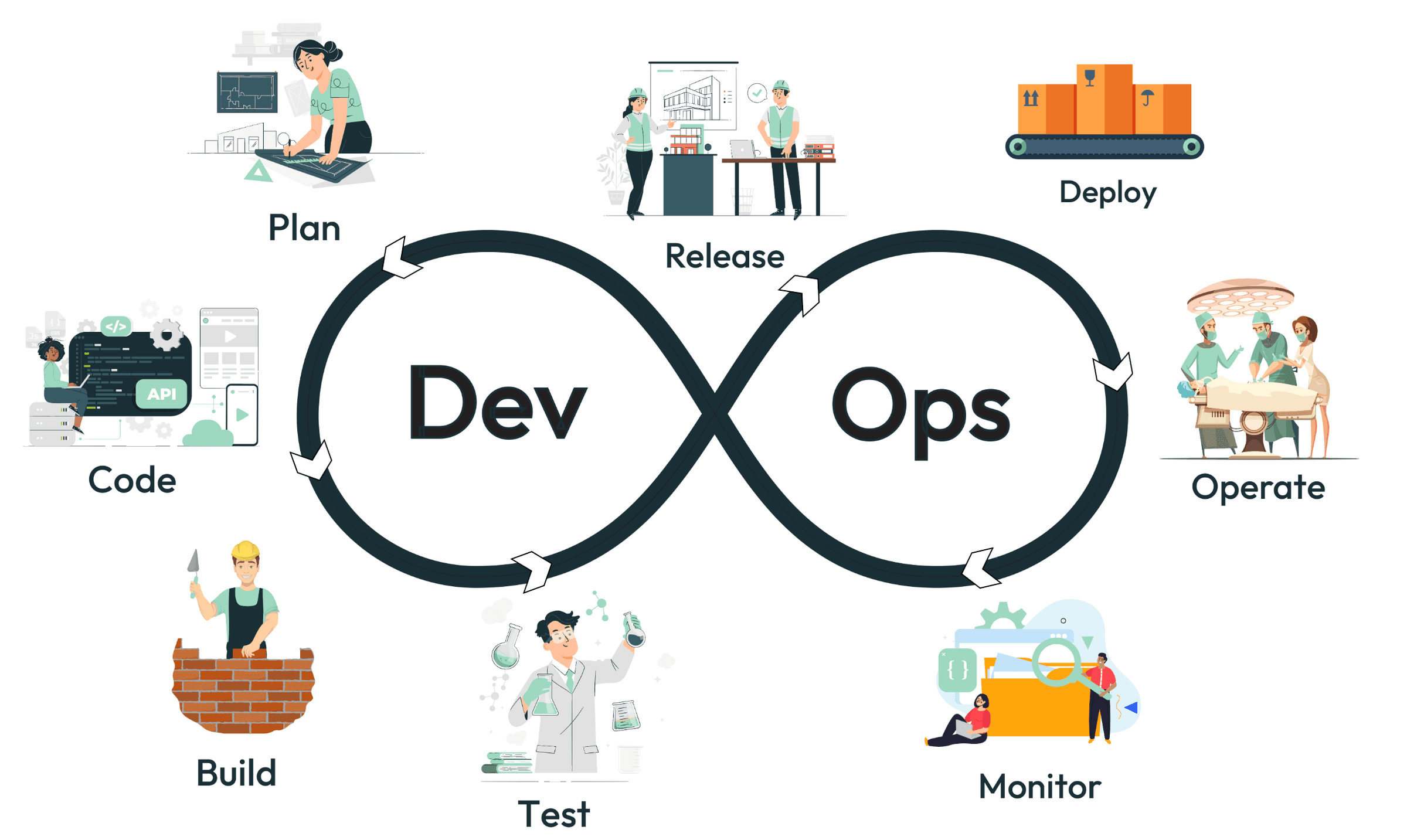
DevOps is a collection of practices that aim to enhance collaboration and communication between departments notably development and operations, supporting businesses in the software delivery process.
Figure 1: DevOps Process
Why DevOps?
DevOps came to solve bottlenecks and delays caused by traditional development ways.
Traditionally, before the adoption of DevOps practices, software development and IT operations were often siloed and operated as separate entities within an organization. This separation led to several challenges and inefficiencies in the software development lifecycle.
How the world looks like before DevOps:
- Development (Dev): Focused on writing code, often working in isolation based on specifications provided by others.
- Operations (Ops): Responsible for deploying and maintaining the code in production, facing challenges due to limited communication with Dev teams.
- Testing: Performed as a separate step, often near the end of the development cycle, leading to delays in identifying and fixing bugs.
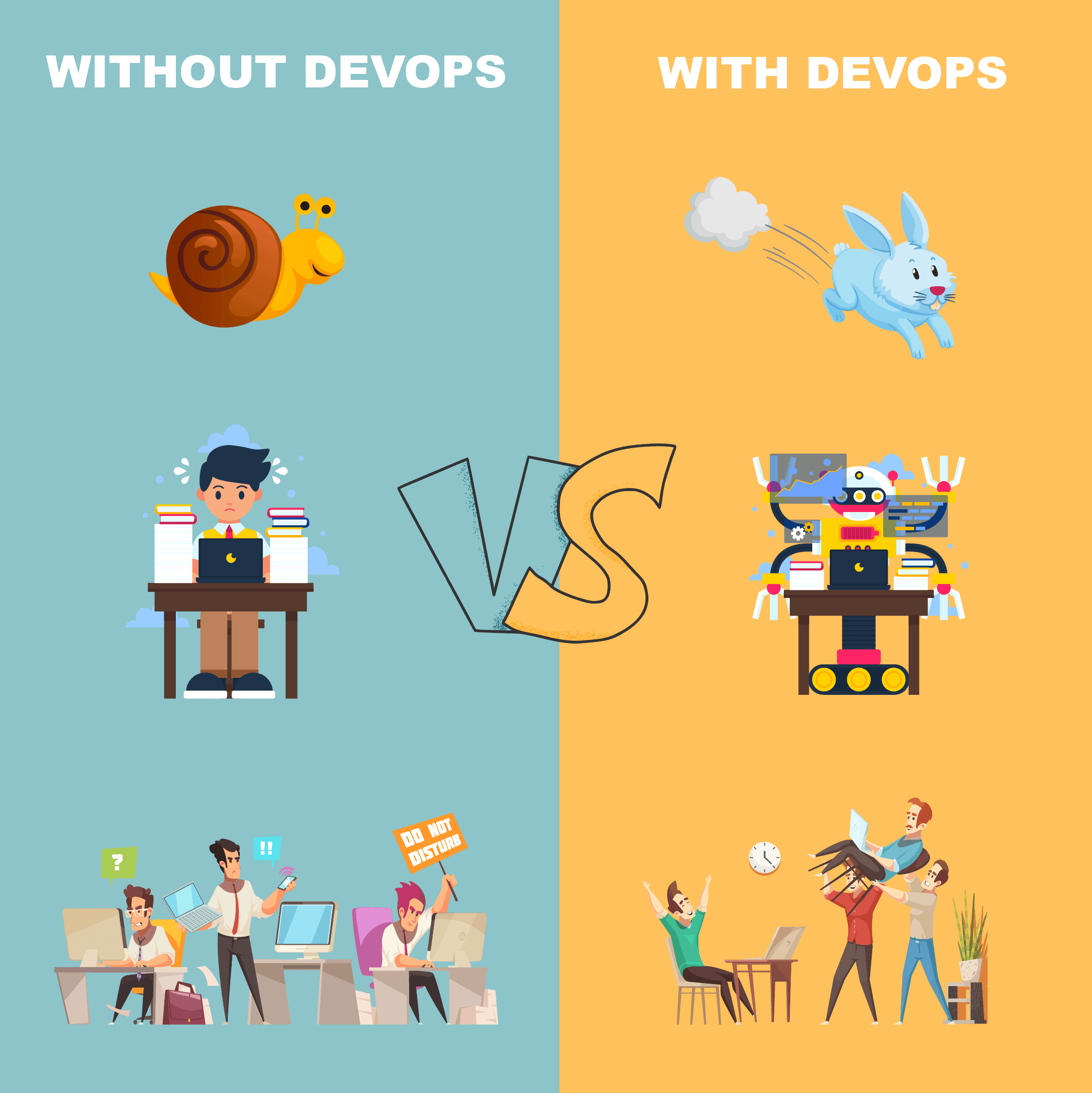
Figure 2: Without and With DevOps
What does DevOps offer?
DevOps leads to faster delivery of features, improved collaboration between teams, higher quality software, and increased efficiency. And most importantly, it allows organizations to deliver value to their customers more rapidly.
 Faster Release Cycles
DevOps allows for quicker iterations and updates, through automating deployments and testing.
 Improved Quality
DevOps allows for quicker iterations and updates, through automating deployments and testing.
 Enhanced Collaboration
DevOps aims for an efficient workflow through open communication and shared goals between teams.
 Reduced Costs
Automation indeed saves time and resources, therefore cutting costs.
 Increased Innovation
DevOps empowers teams to experiment and take measured risks.
Agile VS DevOps
You may be confused between agile development and DevOps since both aim to enhance and optimize the software delivery process. However there are major differences, explained in the following table:
| Agile | DevOps | |
|---|---|---|
| Focus | Primarily on software development | The entire software delivery lifecycle |
| Goal | Delivering working software in short cycles | Continuous delivery of high-quality software |
| Key Principles |
|
|
| Tools | Scrum, Kanban, Jira, Trello | Jenkins, Docker, Kubernetes, Puppet, Chef, Ansible |
| Strengths |
|
|
| Limitaions |
|
|
CI/CD as one of DevOps’ Approaches
CI/CD stands for Continuous Integration and Continuous Deployment (or Continuous Delivery).
CI/CD is a two-part approach:
Continuous Integration (CI):
- Developers frequently commit their code changes to a shared version control repository (e.g., Git).
- Automated builds and tests are done after each commit.
- Early detection of bugs and integration issues prevents them from snowballing later in the development cycle.
Continuous Delivery/Deployment (CD):
- Once code passes all automated tests in CI, it's automatically packaged and deployed to a staging or production environment (depending on the CD strategy).
- Allows for frequent and reliable deployments, minimizing the risk of introducing unintended bugs.
The table below describes CI/CD best practices:
| Practice | Description |
|---|---|
| Version Control | Use a Version Control System (VCS) like Git to track code changes and facilitate collaboration. |
| Maintain clean and documented commits. | |
| Automation | Automate the entire CI/CD pipeline, including code builds, testing, deployments, and tools to reduce manual errors and increase efficiency. |
| Testing | Integrate testing early in the development cycle to identify and fix bugs early on. |
| Monitoring and Feedback | TTrack build and deployment metrics to identify bottlenecks and areas for improvement. |
| Version Control and Code Quality | Maintain small, focused code commits and enforce code quality standards. |
| Continuous Improvement | Regularly review and optimize and always be open to trying new tools and approaches to continuously improve your CI/CD practices. |
Common Tools and How To Use Them in DevOps
Several tools are used in DevOps for various stages of the software development lifecycle.
Version Control Systems (VCS):
Git is the most popular distributed VCS that facilitates collaboration effectively and reverts to previous versions of code if needed.
Configuration Management (IaC):
- Terraform: A popular open-source IaC tool that enables infrastructure provisioning and management using code.
- Ansible: Another open-source option for IaC, focusing on automation and configuration management of servers and applications.
- Chef: An established IaC tool offering a robust configuration management framework for various platforms.
Continuous Integration/Continuous Delivery (CI/CD):
- Jenkins: A widely used open-source CI/CD server that automates builds, tests, and deployments.
- CircleCI: A cloud-based CI/CD platform offering a user-friendly interface and integrations with popular development tools.
- GitHub Actions: Built-in CI/CD features within the GitHub platform, allowing developers to automate workflows directly from their repositories.
Containerization:
Docker is the leading containerization platform, enabling packaging of applications with their dependencies into standardized units (containers) for consistent execution across environments.
Container Orchestration:
Kubernetes is an open-source system for automating deployment, scaling, and management of containerized applications.
Monitoring and Logging:
- Prometheus is a popular open-source monitoring tool that collects and analyzes metrics from various infrastructure components.
- ELK Stack is a collection of open-source tools (Elasticsearch, Logstash, Kibana) for centralized logging, searching, and analyzing log data, providing insights into system health and performance.
Cloud Platforms:
- AWS (Amazon Web Services) is a comprehensive suite of cloud computing services, including compute, storage, databases, and CI/CD tools.
- Azure (Microsoft Azure)is another major cloud platform offering similar services and integrations with DevOps tools.
- Google Cloud Platform (GCP) is a cloud platform from Google, featuring tools for building, deploying, and scaling applications.
Communication and Collaboration:
- Slack is a collaboration platform for real-time communication and information sharing within teams.
- Microsoft Teams is another popular communication platform offering similar features and integrations with other Microsoft products.
While organizations are trying to implement DevOps in their process, they may encounter some constraints such as resistance to change and the choice of tools used. Aside from the complexity of implementing and managing the diverse set of tools and technologies associated with DevOps, people are often hesitant to abandon established workflows. Despite that, the benefits of DevOps far outweigh the challenges. So don't be discouraged by these obstacles!
FAQs
Some tips for overcoming resistance to change?
Implement DevOps practices gradually, offer the team training programs in DevOps principles, tools, and techniques, and communicate the reasons behind the change and the expected outcomes clearly.
What are the main benefits of DevOps?
DevOps offers faster release cycles, improved software quality, enhanced collaboration, reduced costs, and increased innovation.
What metrics organizations can track to measure the success of their DevOps implementation?
Organizations can track key metrics such as deployment frequency, lead time for changes, and change failure rate.
How is DevOps different from Agile development?
Both aim to improve software delivery, but Agile focuses primarily on development cycles, while DevOps encompasses the entire lifecycle (Dev + Ops).
What are some examples of companies successfully using DevOps?
Netflix, Etsy, Amazon, Walmart, HP,...